
A solution for every phone team
Whether you call prospects, answer customers or set appointments, Vokalon adapts to the way you work.
Talk to an expertDesigned for your use cases
Prospecting & sales
Chain outbound calls with predictive dialing and follow each agent’s sales live.
- Predictive or progressive dialing
- Live sales leaderboard on TV
- Sales script per campaign
Customer service
Route inbound calls to available agents and keep an eye on waiting times.
- Call queue and waiting time
- Call history per customer
- Transfer and hold
Appointment setting
Qualify your contacts, set appointments and schedule callbacks at the right time.
- Custom call outcomes
- Scheduled callbacks per agent
- Editable customer record during the call
Reminders & collections
Follow up with debtors methodically, and keep proof of every exchange.
- Recycling of unreachable contacts
- Call recording
- Listening log
Surveys & qualification
Run your questionnaires with a structured script and track list progress.
- Guided script for the agent
- Percentage of the list called
- Results export
Call floors & teams
Organise agents in teams and assign each team to its supervisor.
- Supervisors per group
- TV screen split per team
- Internal messaging
Three workspaces, three ways of working
Each user logs into a workspace tailored to their role, with only the information and actions that concern them.
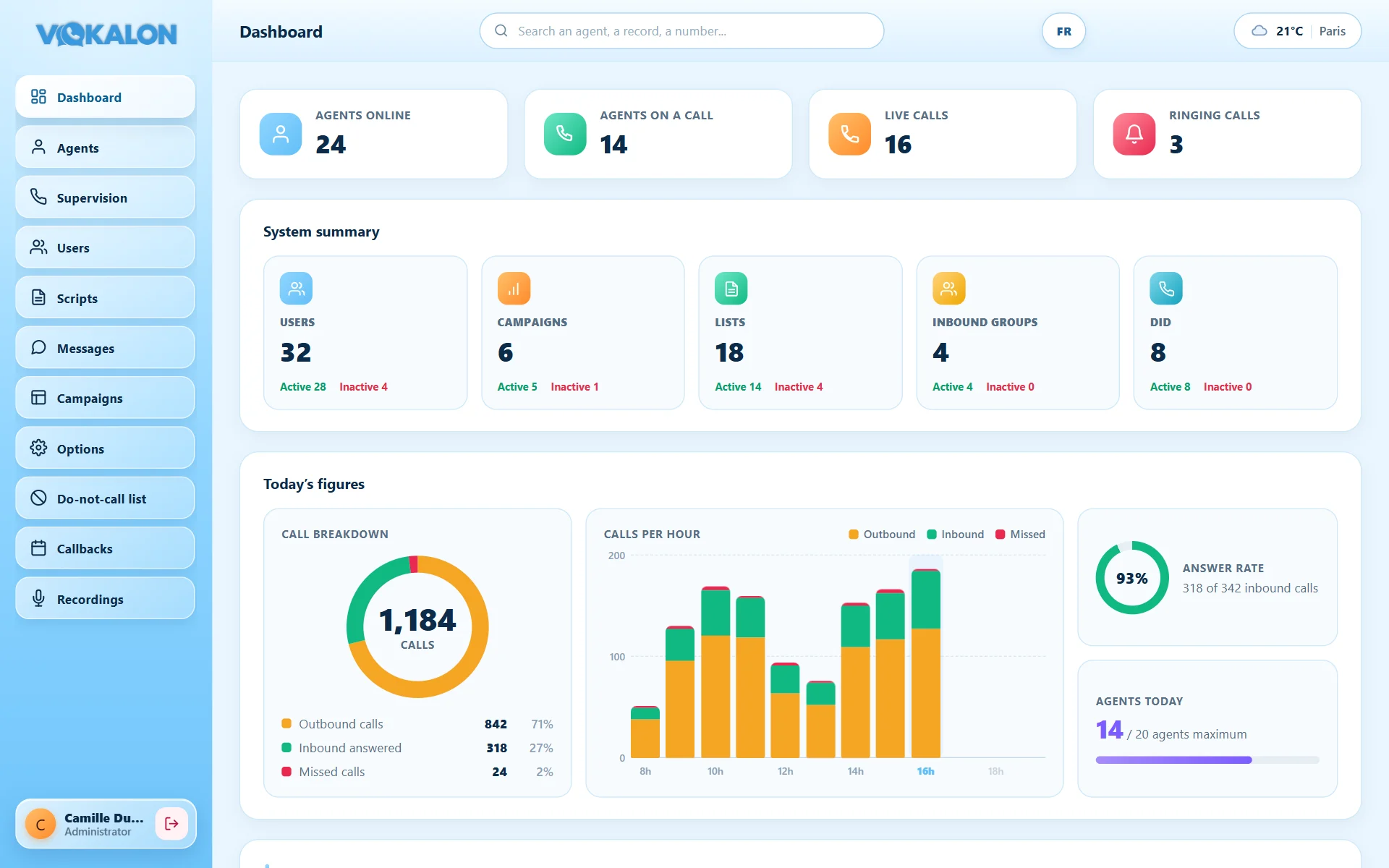
Configure and run the whole operation
The administrator has the full view: dashboard, campaigns, users, scripts, do-not-call list, recordings and statistics for every agent.
- Users and teamsCreate agents and supervisors, assign teams.
- Campaigns and listsImport, recycling, deduplication, export.
- Access controlOnly the administrator can download recordings.
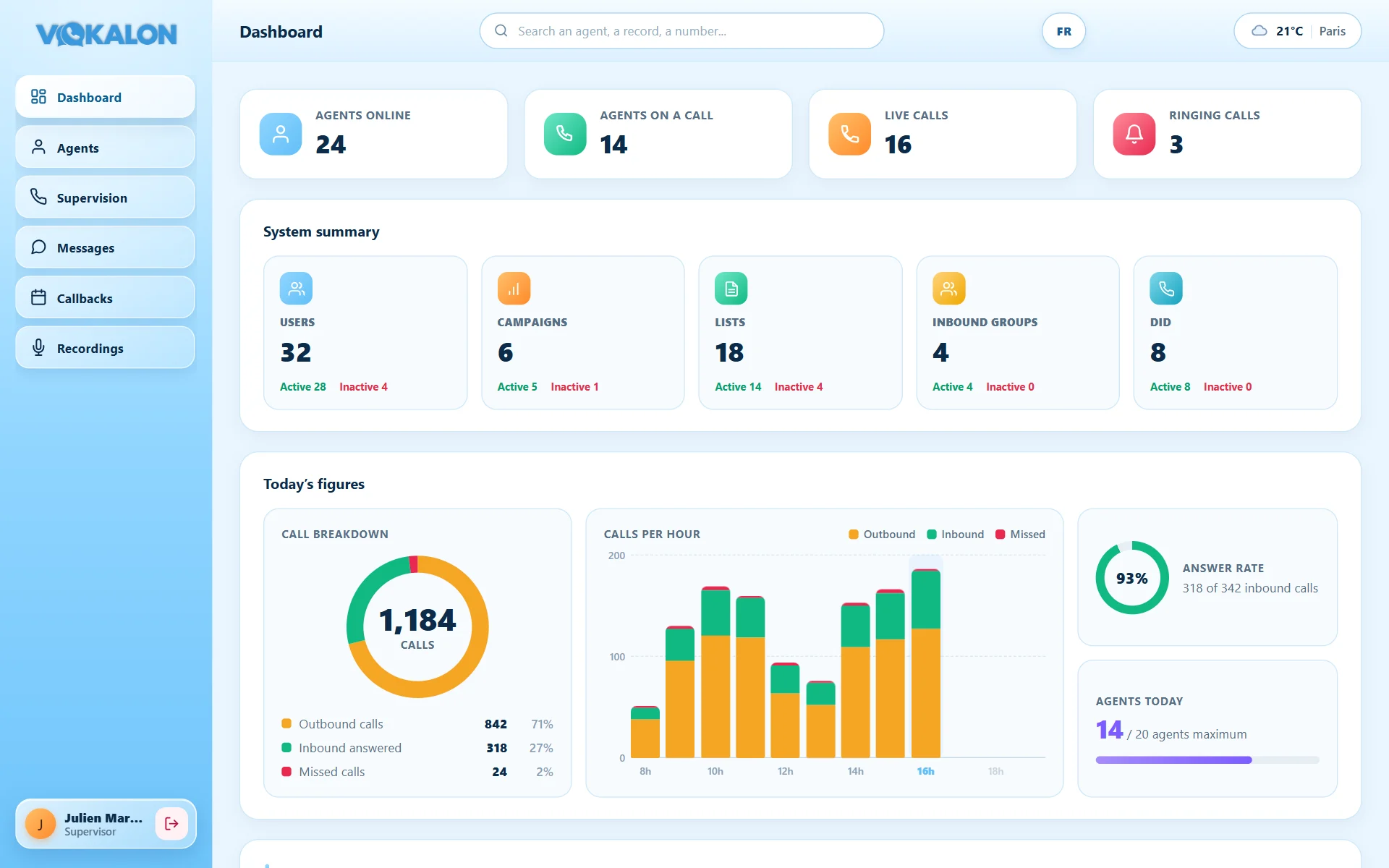
Lead your team, and only your team
The supervisor logs in from the same page as agents and gets a streamlined workspace: dashboard, agents, live supervision, messages, callbacks and their team’s recordings.
- Limited scopeOnly the agents the administrator assigned to them.
- Live coachingListen, whisper and barge in on live calls.
- Recording playbackFor training, without download.
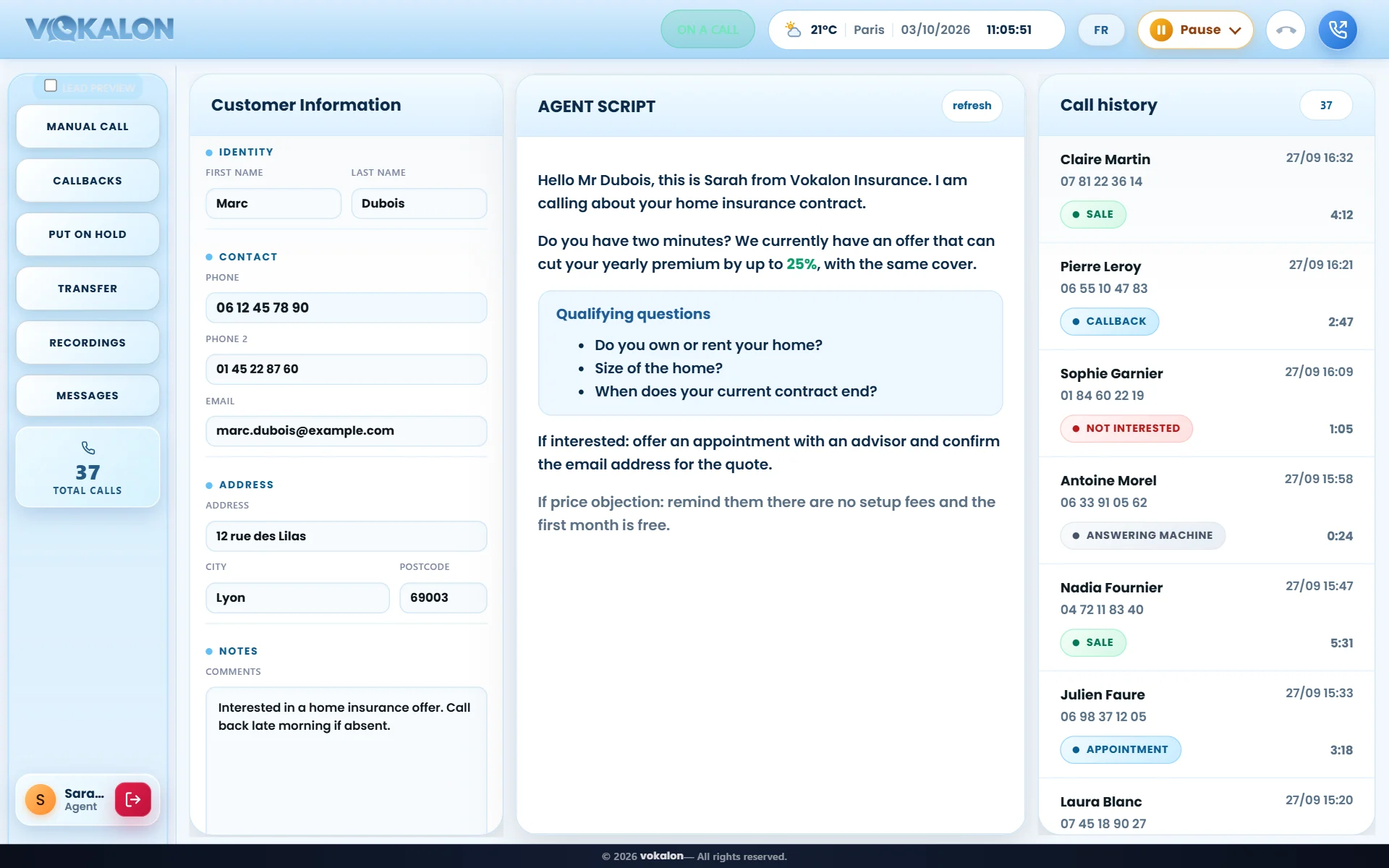
Focused on the customer, not on the tool
The agent picks a campaign at login and works on a single screen: customer record, script, history, callbacks and messages.
- Everything on one screenRecord, script and history visible at the same time.
- Status in one clickGo on break or become available again from the header.
- Messages from managersInstructions and information without leaving the call screen.
Let’s talk about your contact center
Number of agents, type of calls, organisation: we tailor the demo to your context.