
Every feature of a modern contact center
From dialing to results analysis, Vokalon covers every step of your phone activity in a clear interface.
The right dialing mode for each campaign
Vokalon dials for your agents and only passes on the answered calls. You choose the pace, campaign by campaign.
- PredictiveThe system anticipates agent availability and adjusts the number of simultaneous calls.
- Progressive (ratio)A fixed number of calls per available agent, to keep control of the pace.
- ManualThe agent dials or previews the record before calling.
- InboundIncoming calls are routed to available agents.
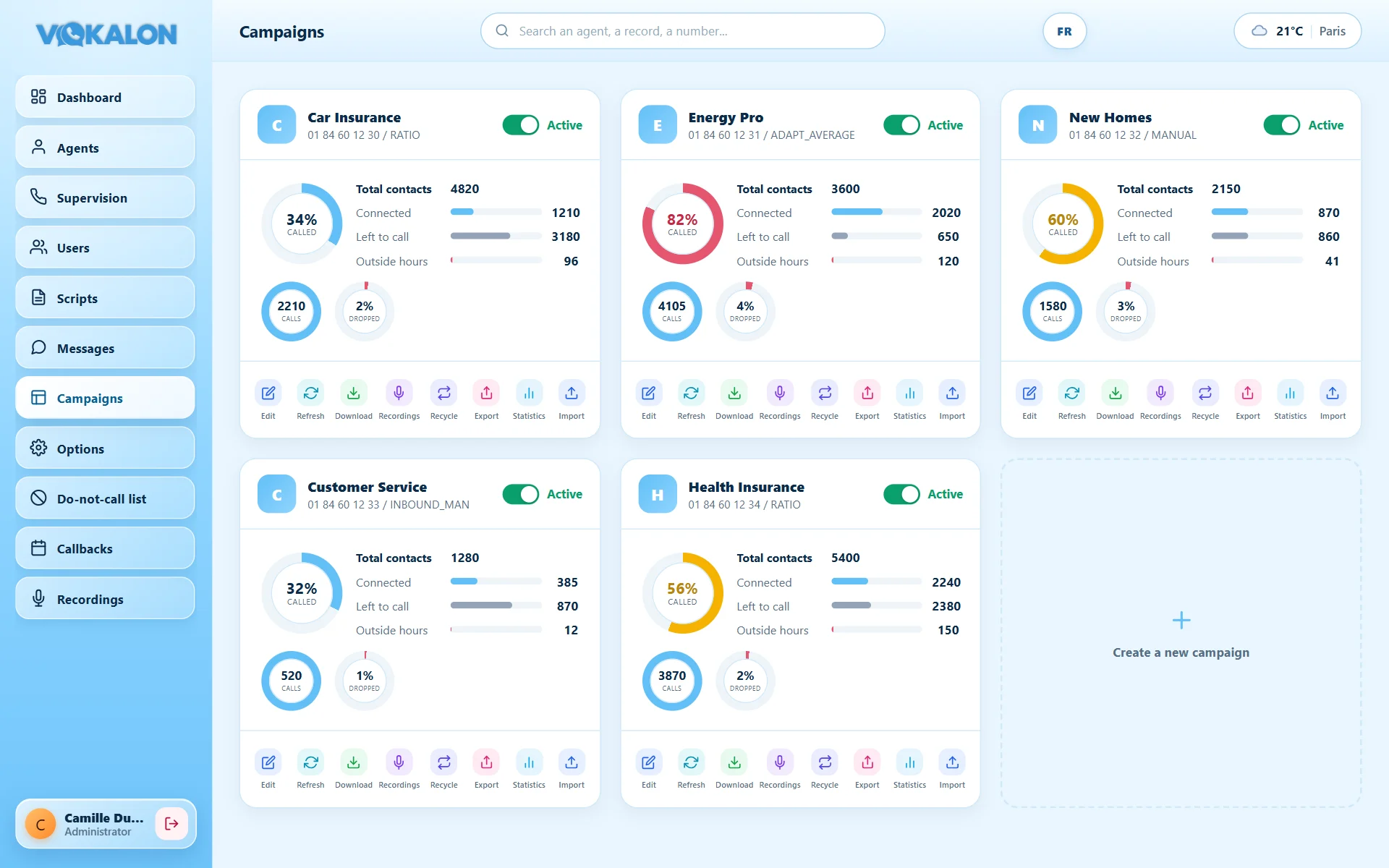
A workstation designed for conversation
The agent sees the customer record, the campaign script and their call history on a single screen. Key actions are always one click away.
- Customer record and script side by sideThe campaign script appears automatically, inbound and outbound, personalised with the customer’s name.
- Headset on or offOne button to receive calls or pause them; supervision then shows “Call pause”.
- Hang up, break, transferCall controls and the “Break” button with its reasons are grouped in the header.
- Outcomes and callbacksEvery call gets an outcome; the agent can schedule a callback for themselves.
- Personal historyLatest calls with outcome and duration, to reconnect with a contact in one click.
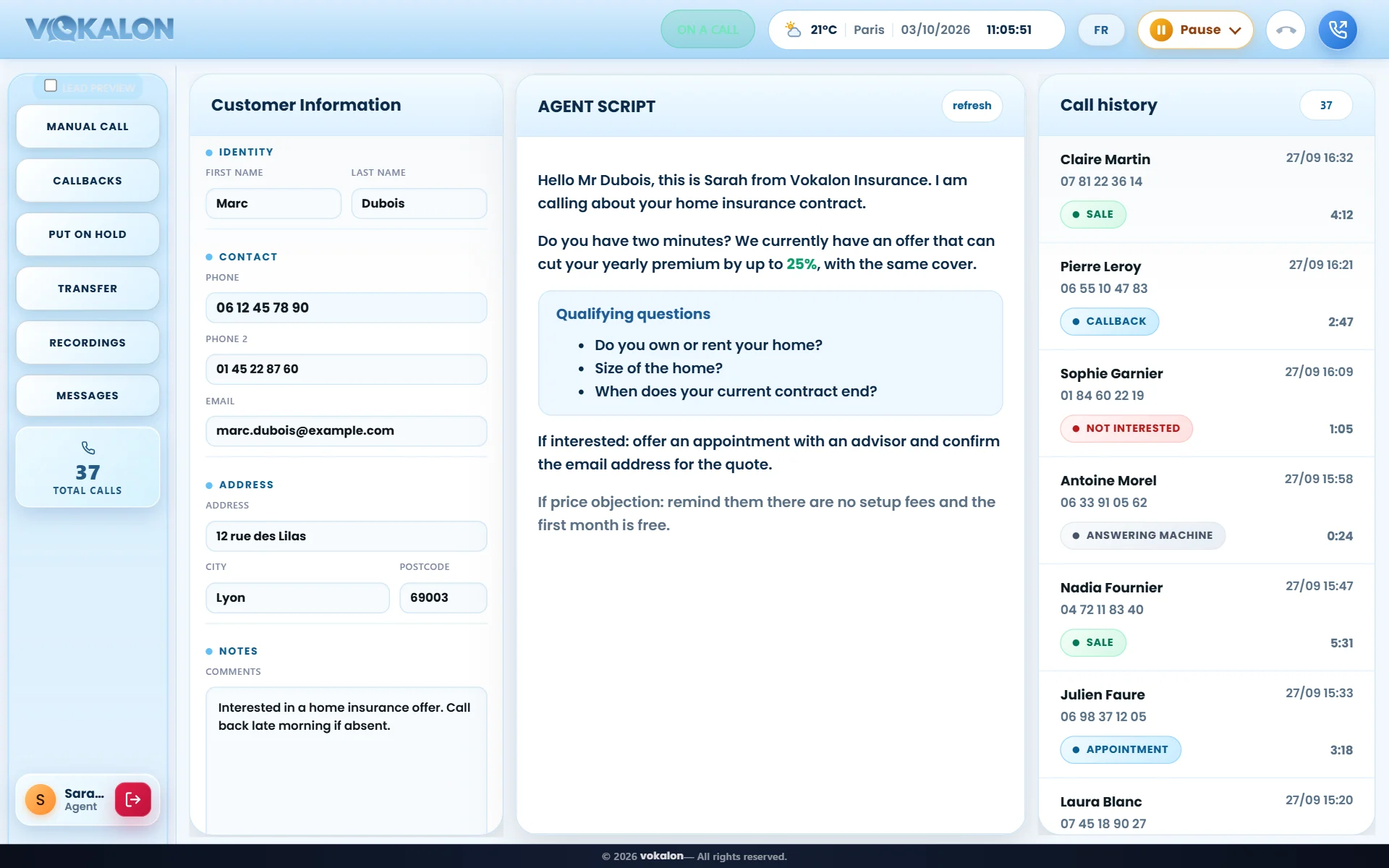
Dial a number like on a phone
The “Manual call” button opens a full phone keypad. The agent dials with the mouse or the computer keyboard, corrects in one click and calls with the green button.
- Built-in keypadDigits, delete and call, without leaving the customer record.
- Locked country codeThe country code is set by the administrator: the agent only types the number.
- Checked numbersNumbers outside your calling area are refused before the call, avoiding mistakes and unnecessary costs.
- Per-agent permissionManual dialing is enabled or removed agent by agent.
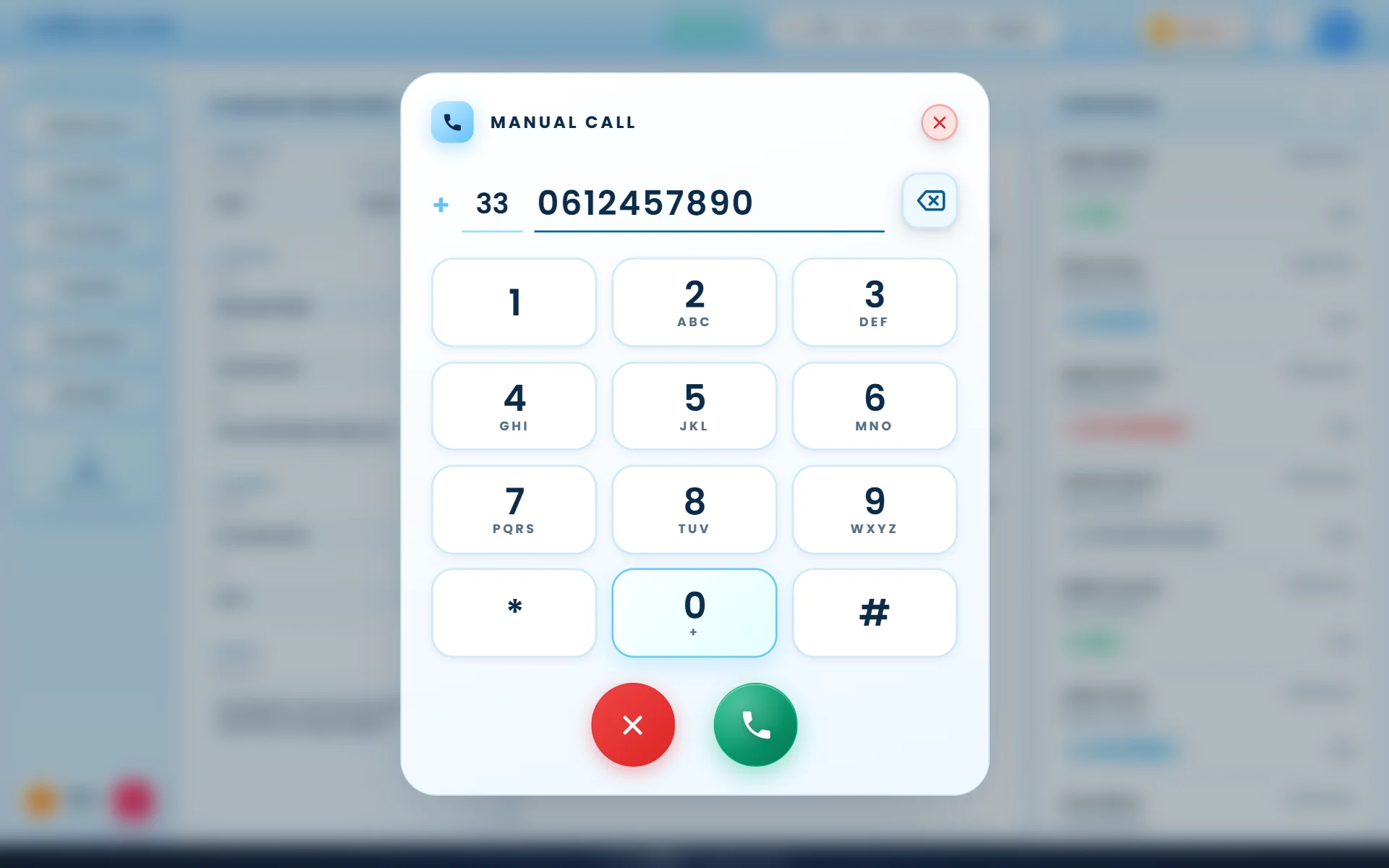
The right person, in one click
During the call, “Transfer” opens the list of colleagues logged into the same campaign. The agent picks an available colleague: the customer is sent straight to them, with their record.
- Each colleague’s statusAvailable, on a call or on break, with the duration, refreshed every three seconds.
- Direct transferNo number to dial: the call goes to the chosen agent, who receives it with the customer record.
- Other transfers still availableExternal number or three-way conference remain available from the same window.
Every second of waiting becomes useful
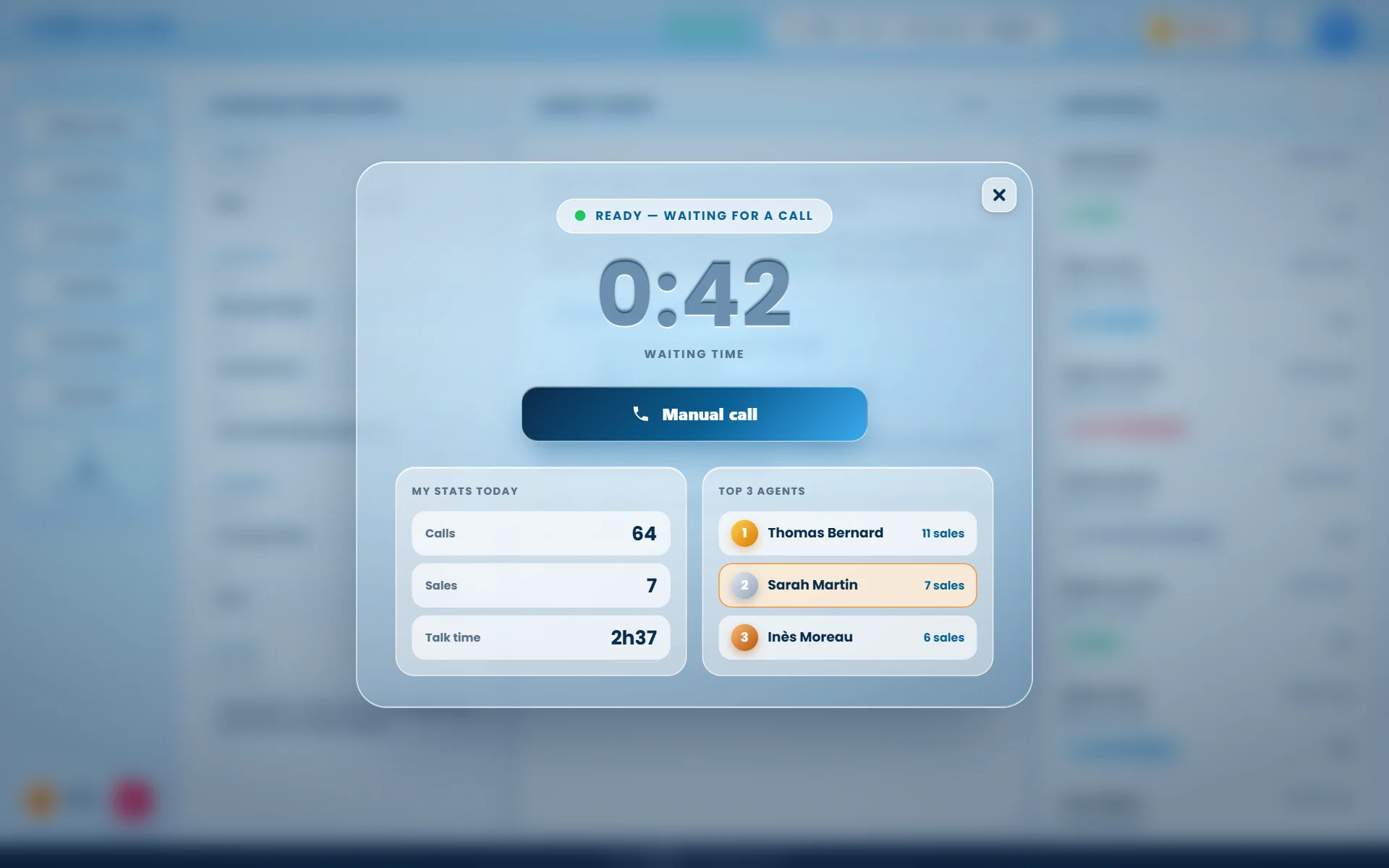
As soon as the agent is available without a call, a “Ready” window appears in the middle of the screen. It disappears by itself when the next call arrives.
- Waiting timerThe agent sees how long they have been waiting for a call.
- One-click manual callNo incoming call? The agent dials a number without leaving the window.
- Today’s numbersCalls made, sales and talk time, updated automatically.
- Top 3 agentsToday’s podium, highlighting the agent if they are on it.
Timed breaks, fair for everyone
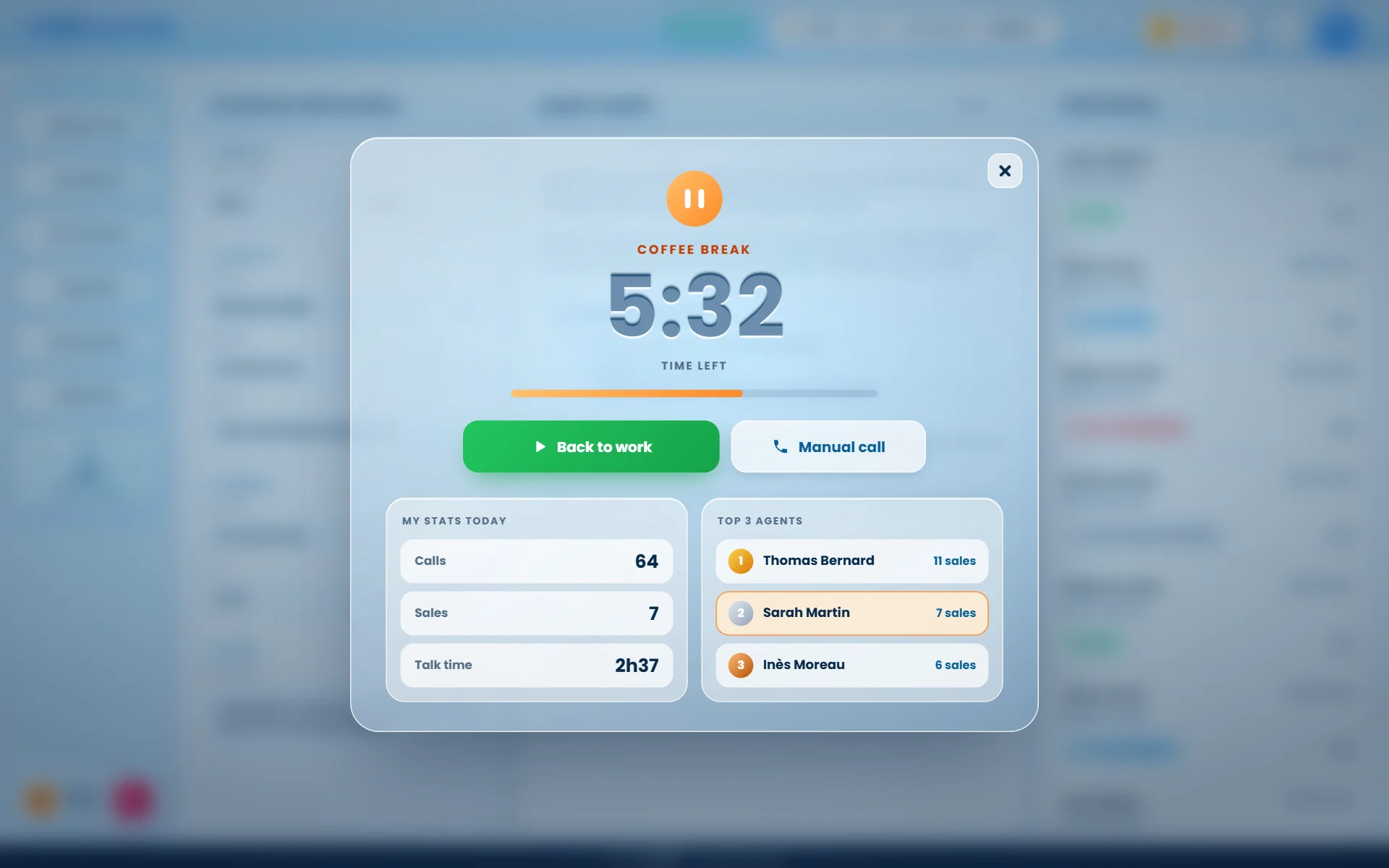
Each break reason can have an allowed duration per working day. During the break, the agent sees the time left and the progress bar fills up.
- Live remaining timeThe countdown is shown in large type as soon as the break starts.
- Cumulated over the dayThree 5-minute coffee breaks count as 15 minutes: the counter picks up where it stopped.
- Overrun in redOnce the allowed time is used up, the window turns red and shows the overrun.
- Custom reasonsCoffee, lunch, training, meeting… each with its own allowed duration.
Support your agents while they talk
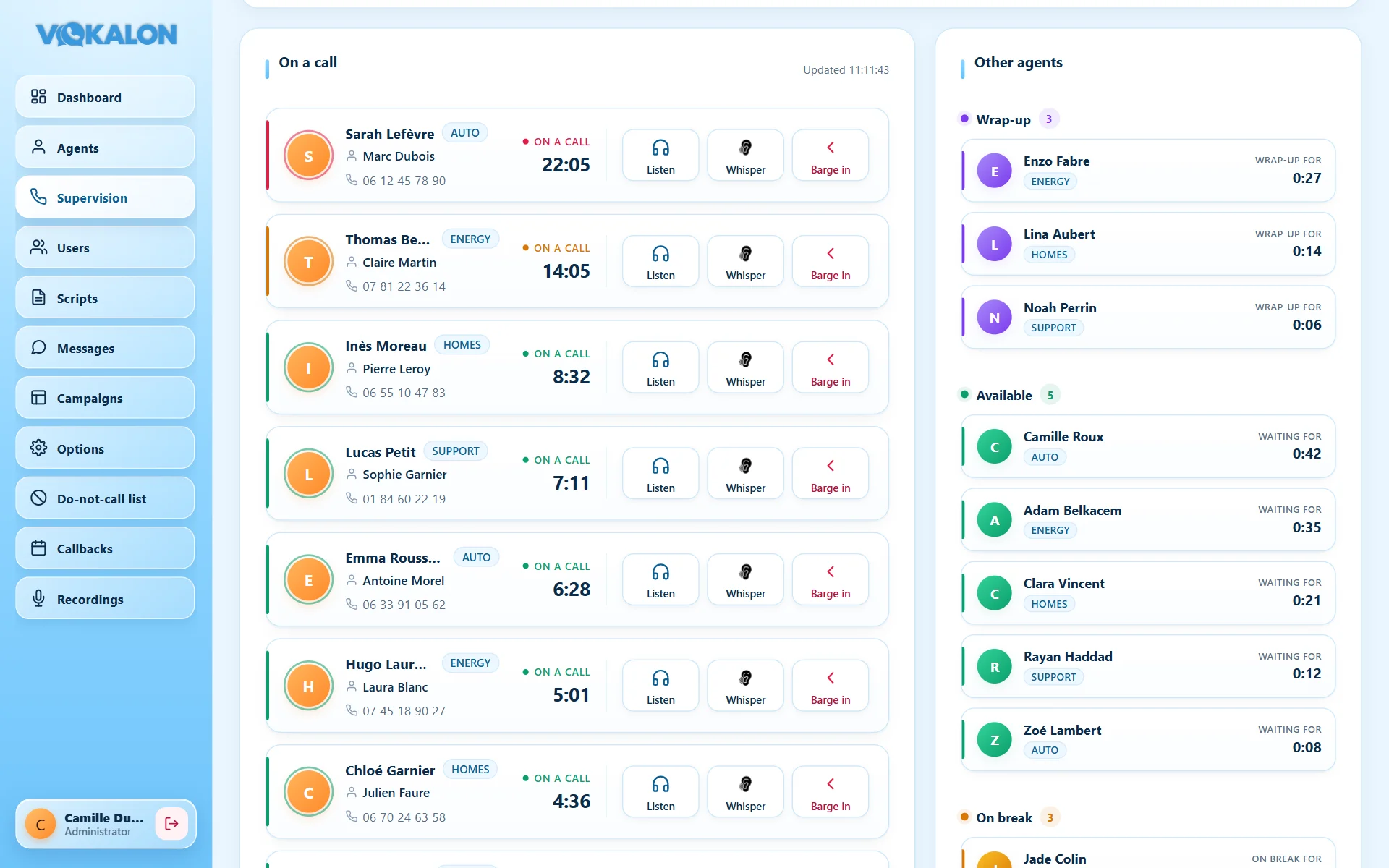
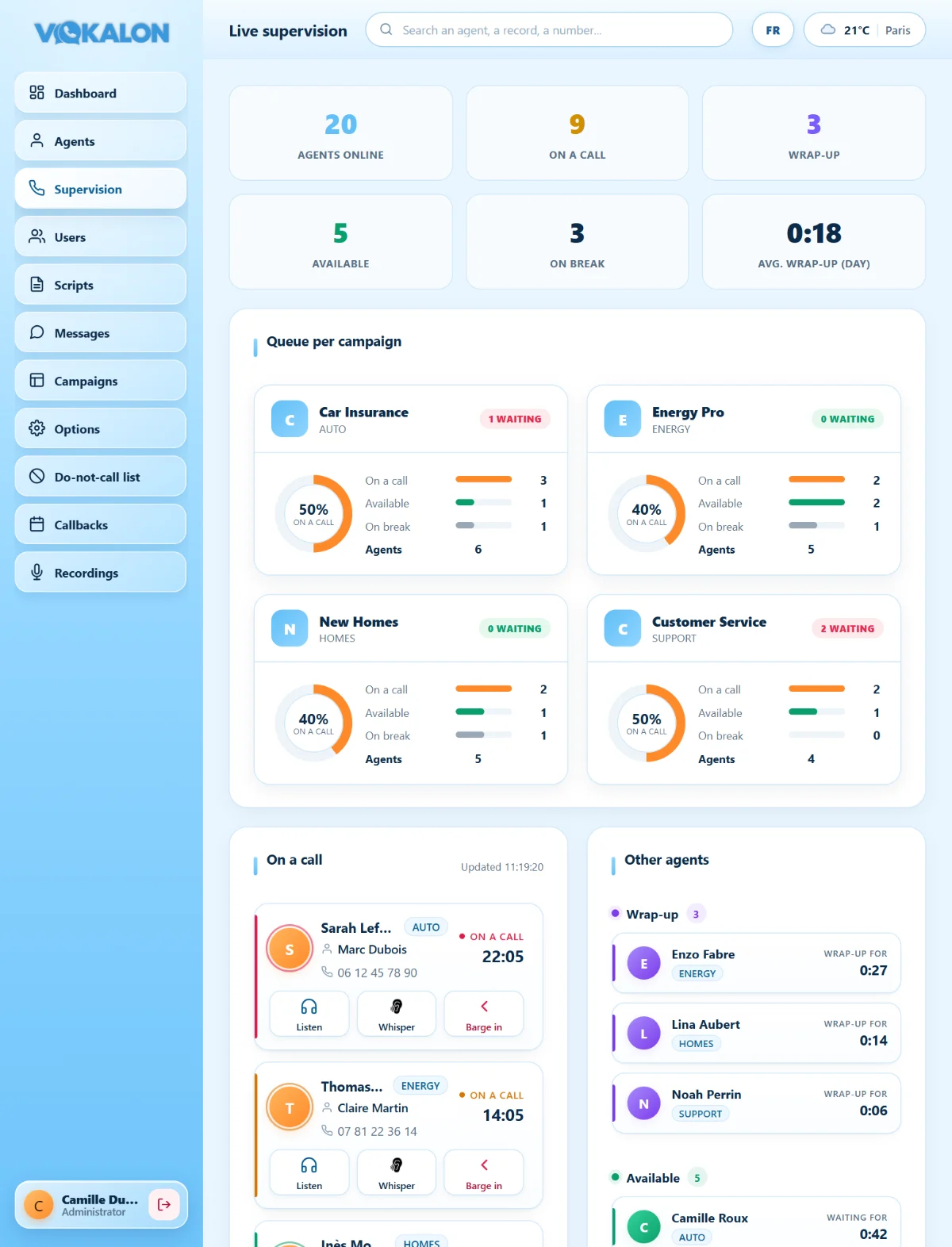
The supervision screen refreshes every second. For each call you see the agent, the customer on the line and the duration; the longest calls are colour-coded so you can step in at the right time.
- The customer of each callCustomer name and number on the card of the agent on the call.
- Silent listeningListen to the conversation without the agent or customer hearing you.
- WhisperTalk to the agent only, without the customer hearing you.
- Barge-inTake over the call when the situation requires it.
- Team viewWrap-up, available and on break, with each break’s reason and duration.
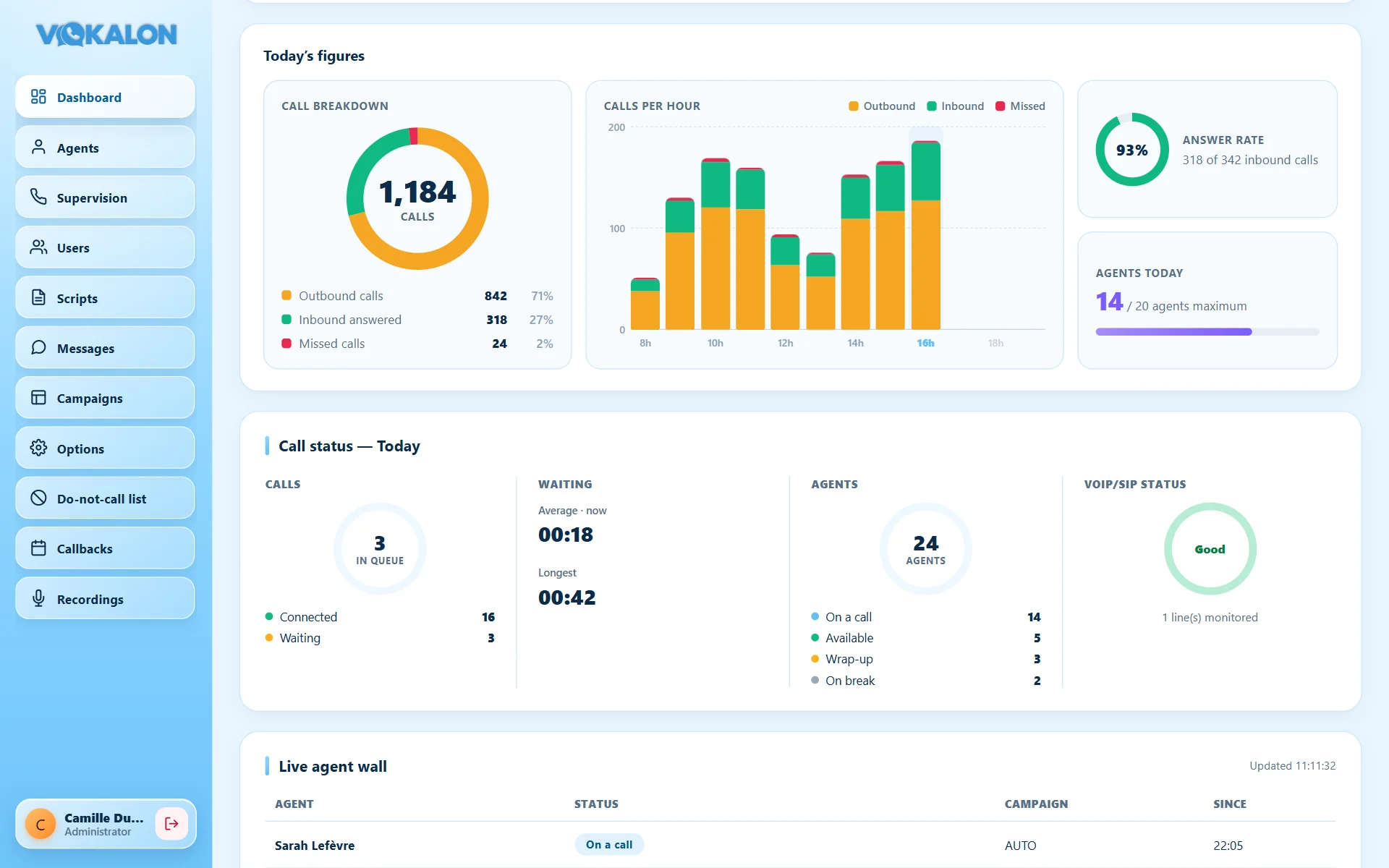
Your call floor at a glance
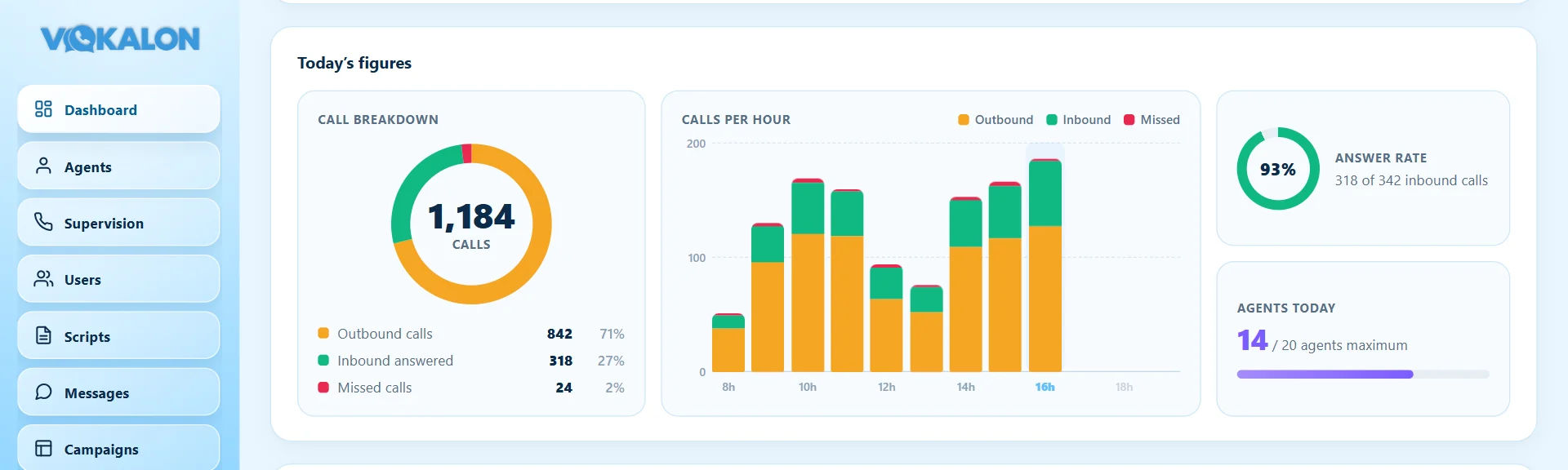
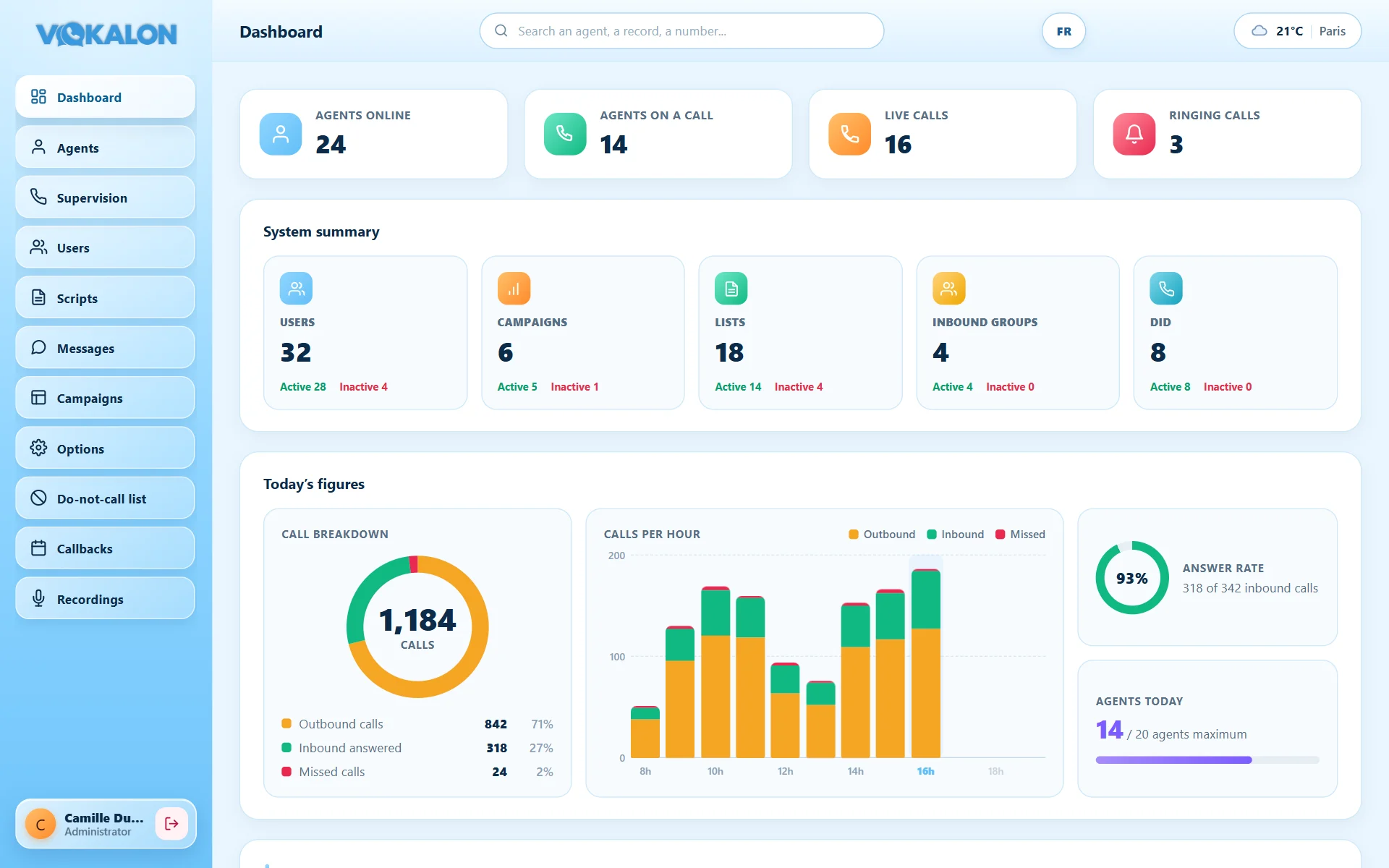
Agents online, on calls, in wrap-up or on break; live calls, ringing and waiting time; today’s volume in charts. Everything is computed live.
- Daily chartsOutbound / inbound / missed split, calls per hour, answer rate and agents of the day.
- Agent wallEvery logged-in agent with status, campaign and duration.
- Telephony healthAn indicator immediately flags a problem on your lines.
- Break alertsBreak overruns are flagged at the top of the dashboard.
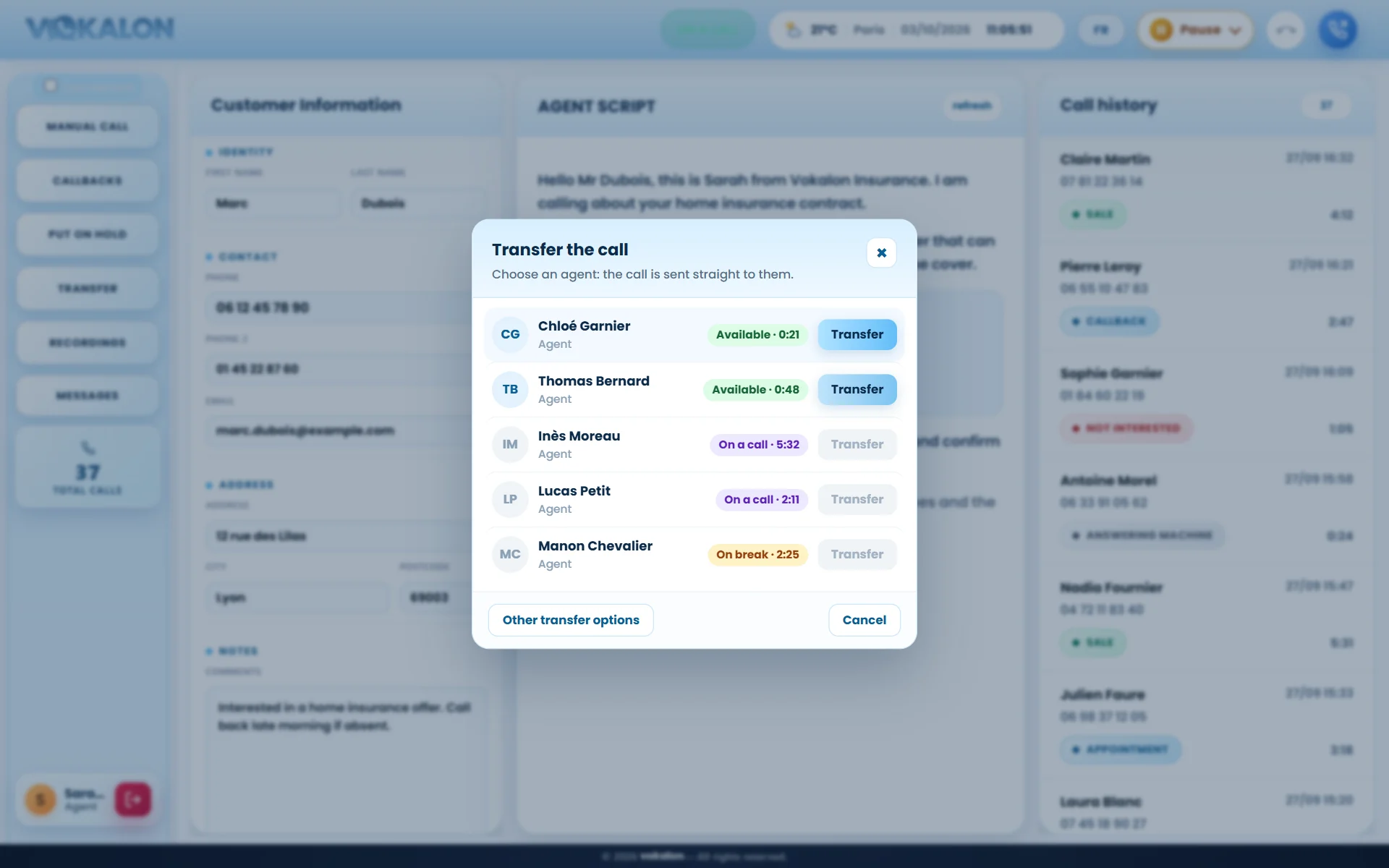
Manage campaigns without technical help
Each campaign is a card: list progress, contacts reached, remaining to call, drop rate. Every action is available from the card.
Import
Upload your contact lists straight into a campaign.
Recycling
Put unreached contacts back into the dialing queue with your own rules.
Deduplication
Duplicate numbers detected, including across campaigns.
Statistics
Campaign KPIs and results export.
Scripts
Write the scripts shown to your agents, inbound and outbound.
Do-not-call list
Permanently exclude numbers that must not be called again.
Break reasons
Define your breaks and their allowed duration per day.
Call outcomes
Your own outcomes: sale, callback, appointment…
Measure, compare, improve
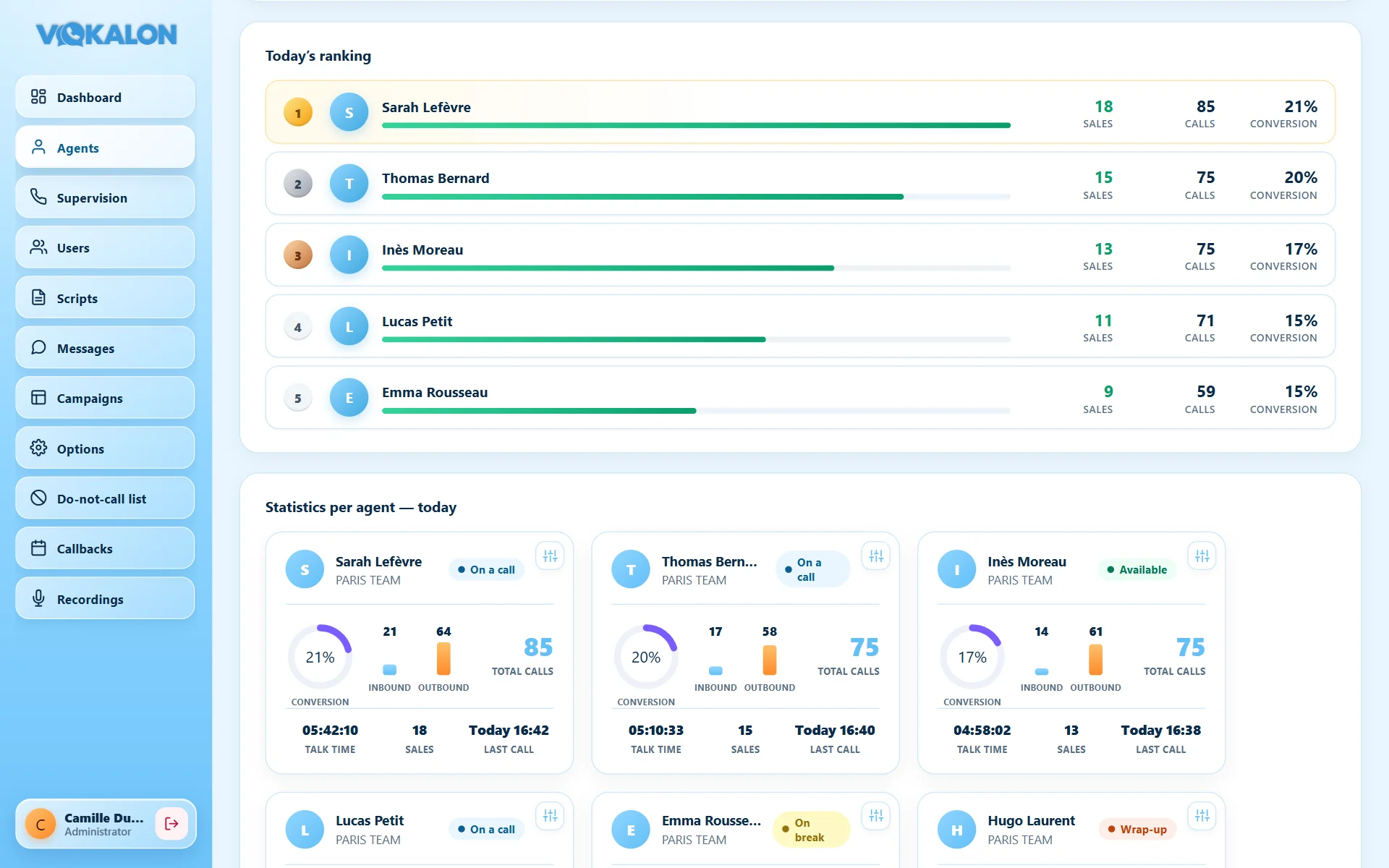
Each agent has a performance card, and today’s ranking highlights the best results. Change the period to analyse trends.
- RankingSales, number of calls and conversion rate of the best agents.
- Per-agent reportInbound and outbound calls, talk time, last call.
- Period filterToday, a specific day or a date range.
A TV screen that makes your teams win
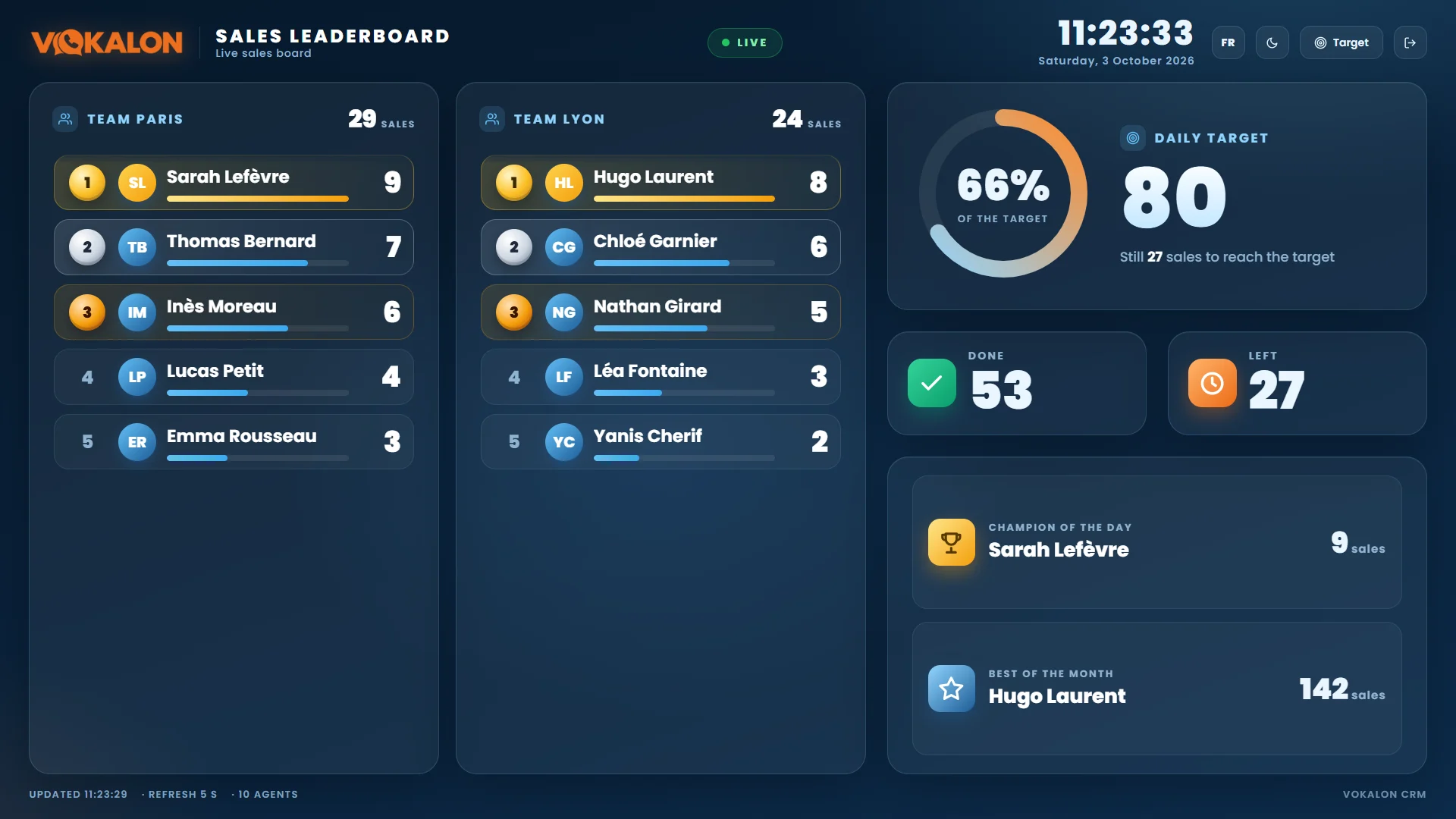
The sales ranking is shown live on the call floor TV. Every new sale appears with an animation, and the daily target fills up in front of the whole team.
Customised by the administrator
- One ranking per teamSplit the screen between up to four teams, or keep a single ranking.
- Your own logoIt replaces Vokalon’s at the top of the screen.
- Light or dark themeA default theme for the TV, and a sun / moon button on screen.
- Sales Manager accessA dedicated account that only sees the sales screen and can change the target.
Find any call in seconds
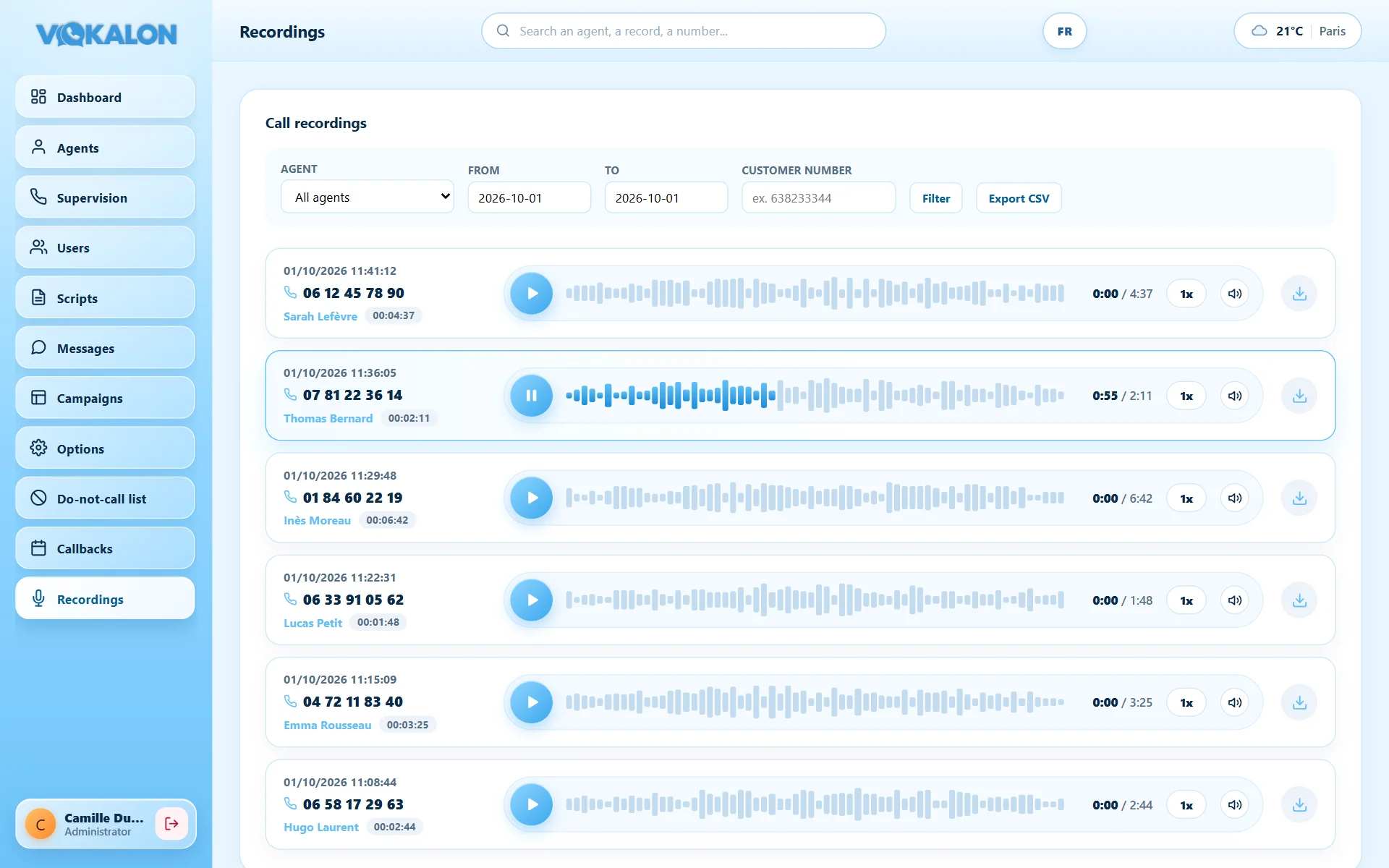
Search by agent, date or customer number and play the call in the browser, ideal for training and quality control.
- Built-in playerInstant playback, clickable waveform, 1x, 1.5x or 2x speed.
- Access logWho listened to which call, and when: everything is logged.
- Controlled downloadAdministrators only; supervisors listen without downloading.
Your call floor in your pocket
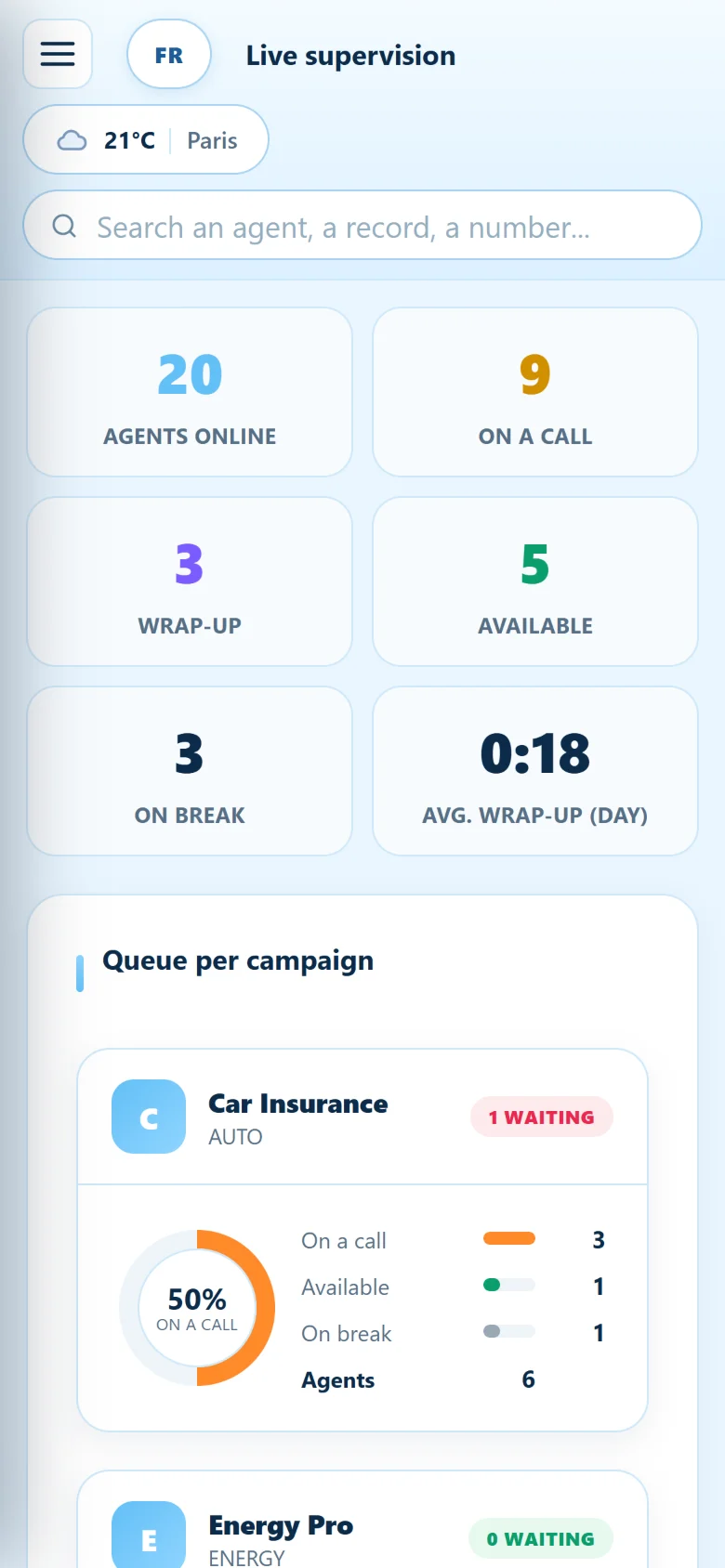
The administrator and supervisor workspaces adapt to every screen size: iPhone, Android, iPad and tablets.
- Adapted layoutCollapsible menu, rearranged KPIs, tables readable without zooming.
- Supervision at your fingertipsListen, whisper or barge in straight from your phone.
- Statistics and recordingsReports, ranking and call playback, anywhere.
Each agent has exactly the rights they need
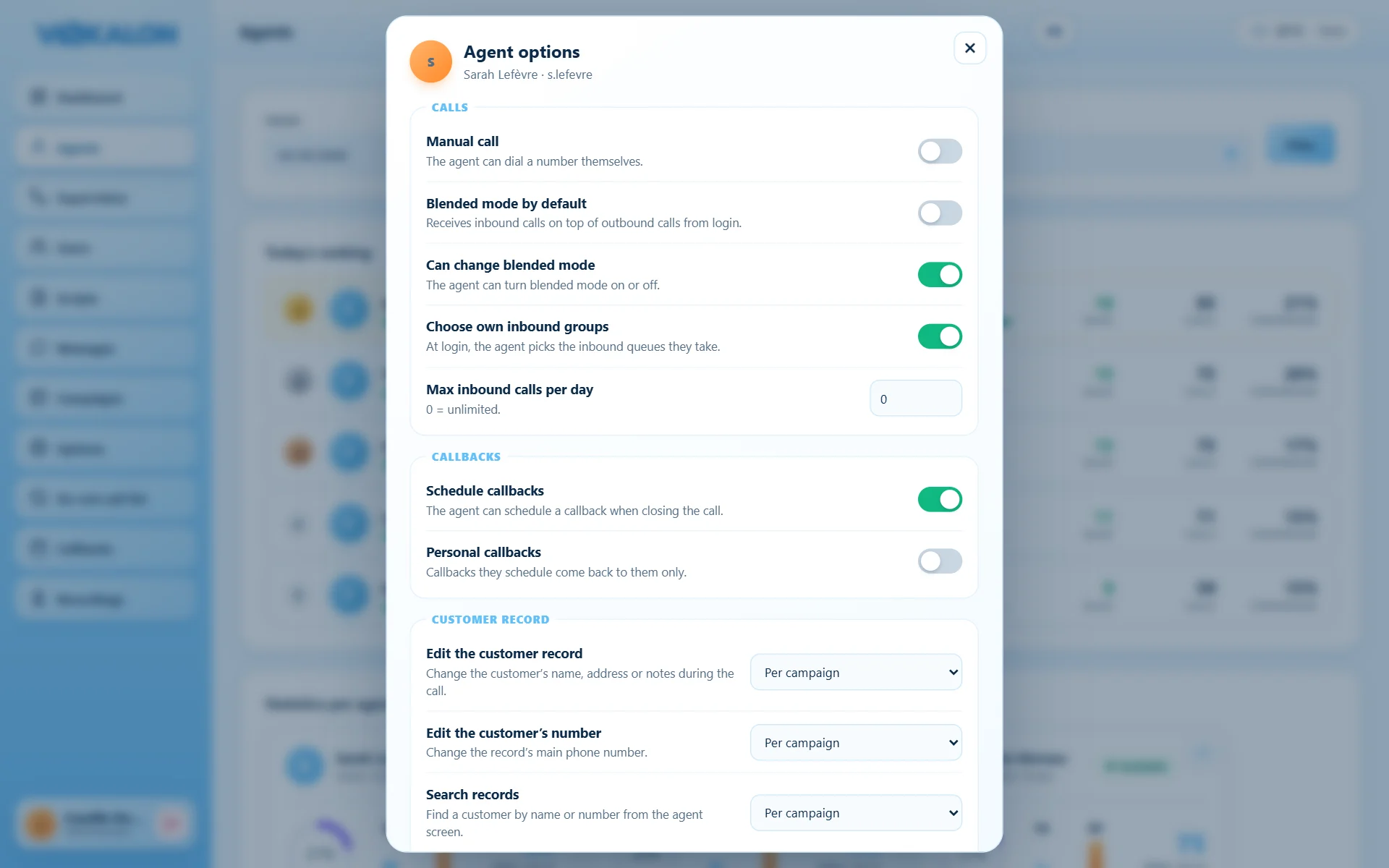
From the agent list, the “Options” button opens the agent’s settings. The administrator, or the supervisor for their own team, turns each right on or off with a switch.
- CallsManual dialing, inbound calls on top of outbound, maximum inbound calls per day.
- CallbacksSchedule callbacks, and personal callbacks reserved to the agent who created them.
- Customer recordEdit the record or the phone number, search records, or let the campaign decide.
Every user picks their language
Vokalon speaks French and English. A two-flag button on every screen lets each user switch language in one click, ideal for international teams and call floors calling several countries.
- Agent workspaceCustomer record, script, breaks, keypad, transfer and messages in English; the choice is kept for the next login.
- Administration and supervisionDashboard, campaigns, users, live supervision and recordings, translated instantly.
- Sales leaderboardThe TV screen shows the ranking, target and date in English.
- Your content stays as writtenScripts, break reasons and call outcomes show exactly as you typed them.
Everyone in their place, every access under control
Want to try it on your own activity?
We show you Vokalon with your own campaigns in mind.